
How Linkage.Page Helps You Manage Your Entire Online Presence
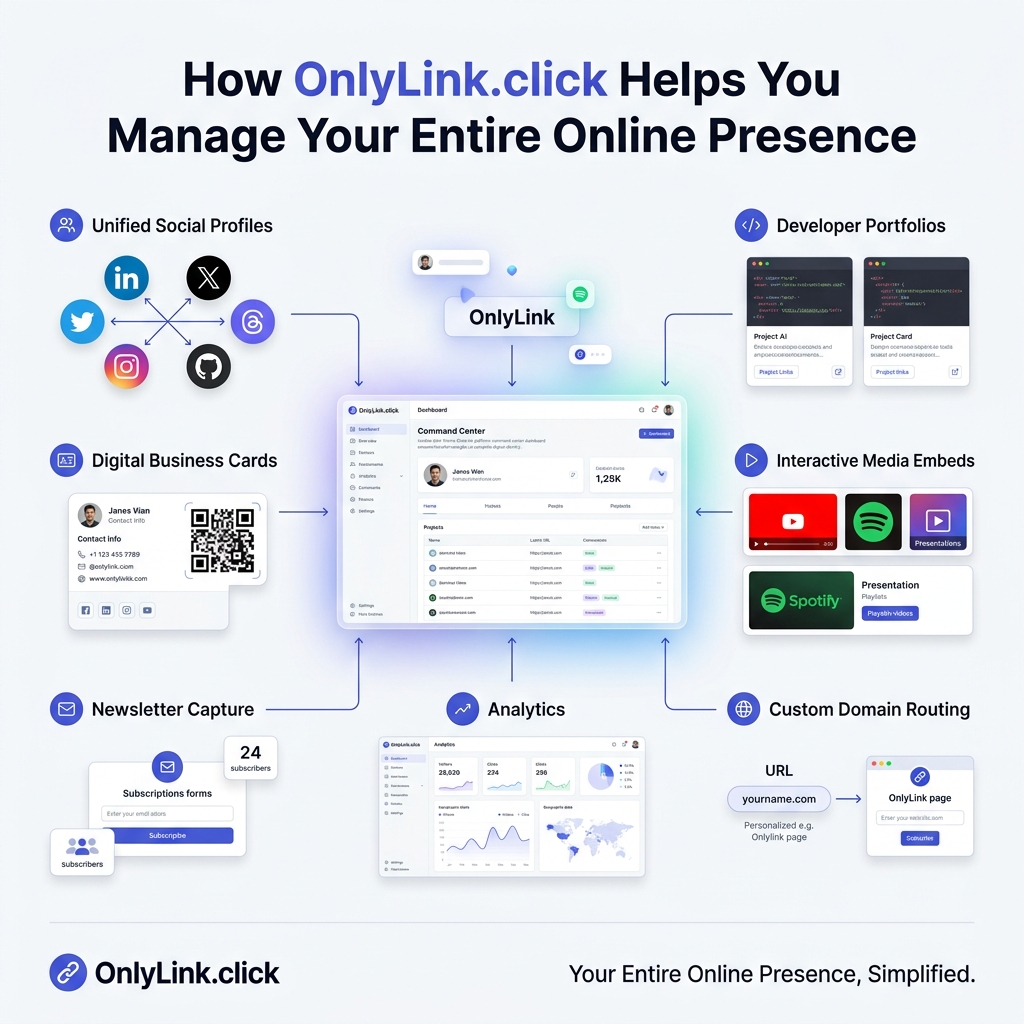
In 2026, building a successful personal brand, business, or creator footprint requires an active presence across multiple digital channels.
You might share short-form videos on TikTok and Instagram Reels, broadcast code commits on GitHub, publish technical deep-dives on Substack, network with executives on LinkedIn, stream long-form tutorials on YouTube, and host deployed applications on Vercel or AWS.
While multi-platform distribution multiplies your reach, it also creates a major headache: digital identity fragmentation.
When prospective clients, hiring managers, or collaborators visit your social profiles, they are often met with broken links, outdated profile URLs, or generic third-party shorteners.
This is where Linkage.Page transforms your digital strategy.
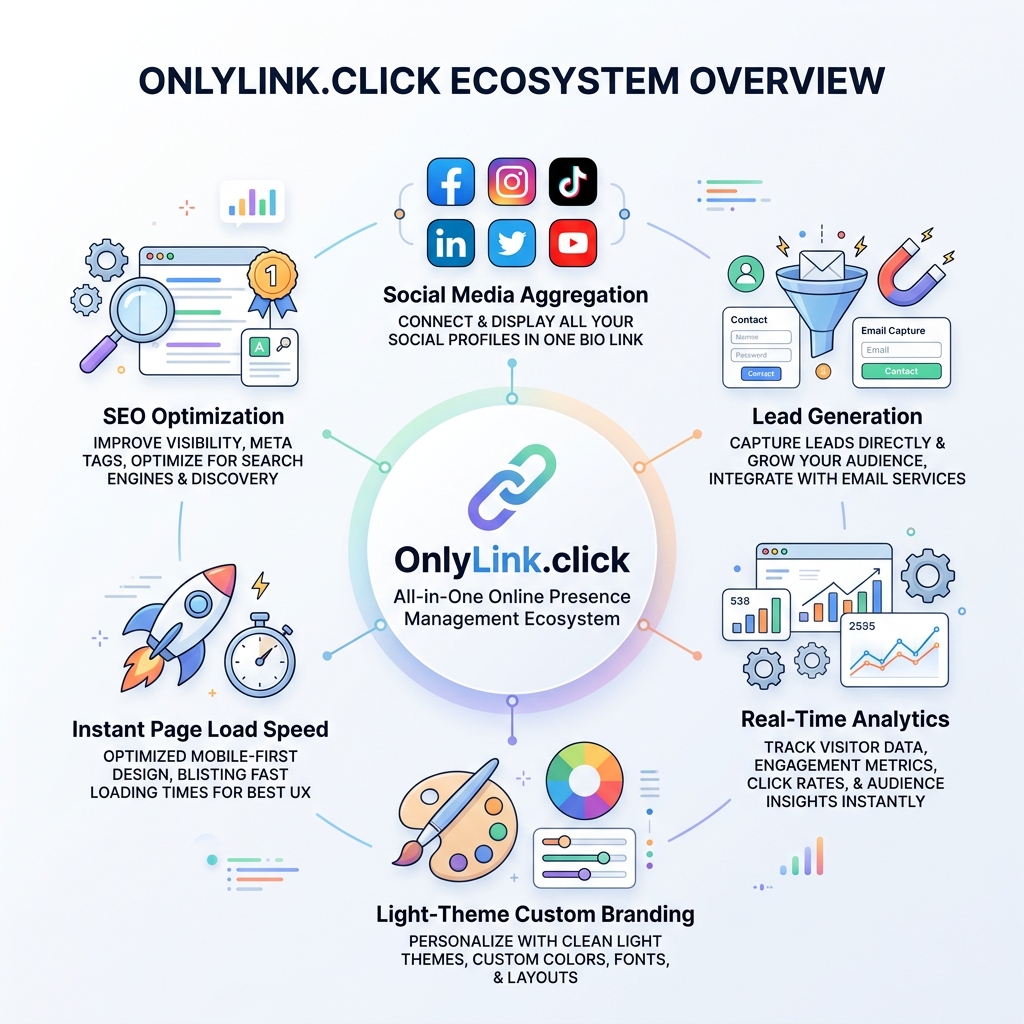
Linkage is designed to serve as your all-in-one digital command center—unifying your social channels, proof-of-work portfolios, email subscriber forms, and real-time traffic analytics into a single, high-converting light-themed bio hub.
In this guide, we explore how Linkage.Page helps you manage your entire online presence, why clean light-theme visual design builds instant authority, and how to set up your unified profile hub in under 10 minutes.
The Problem: The Disjointed Digital Footprint
Managing your digital footprint across 6+ platforms without a central hub leads to three critical growth blockers:
- High Friction for Visitors: Forcing profile browsers to search manually across different sites to find your resume, portfolio, or contact options results in a 70%+ bounce rate.
- Outdated Link Management: Updating a new launch link or email address across 8 separate social media bios takes hours of repetitive work.
- Zero Audience Ownership: Followers remain trapped inside third-party social algorithms where algorithm shifts can wipe out your audience reach overnight.
What Is Linkage.Page?
Linkage.Page is a modern, lightweight digital identity platform that replaces fragmented bio links with a single, intelligent profile command center.
Multi-Tool Stack vs. Unified Linkage Platform
| Capability | Disjointed Multi-Tool Stack | Unified Linkage Platform |
|---|---|---|
| Profile Management | Updating links manually across 6+ social bios | Update once in Linkage; synced instantly everywhere |
| Visual Design | Inconsistent dark/light designs across platforms | Cohesive light-theme UI with executive polish |
| Interactive Media | Text links redirecting to external sites | Native YouTube, Spotify, Podcast & Form embeds |
| Lead Capture | Requiring complex third-party landing page builders | Native 1-click email opt-in forms |
| Mobile Speed | Heavy, bloated desktop landing pages | Sub-second mobile rendering (<400ms) |
| Analytics | Fragmented click counts across tools | Unified dashboard with UTM & geographic insights |
6 Ways Linkage.Page Simplifies Online Presence Management
1. Multi-Platform Social & Portfolio Aggregation
Linkage acts as the master connector for your digital identity. In one scannable light-theme page, you can display:
- Social Networks: LinkedIn, X (Twitter), Instagram, TikTok, YouTube, Threads.
- Developer & Designer Portfolios: GitHub repositories, Figma canvases, Dribbble shots, CodePen demos.
- Publishing & Essays: Substack newsletters, Medium posts, personal blog articles.
- Storefronts & Digital Downloads: E-books, Gumroad products, consulting packages.
2. Clean Light-Theme Design System & Customizable Aesthetics
First impressions are formed in less than 50 milliseconds. Linkage’s design engine is built around modern light-theme visual principles:
[!IMPORTANT] Why Linkage’s Light-Theme Visual System Elevates Your Brand:
- WCAG AAA Readability: Deep slate typography (
#0F172A) against soft off-white surface cards (#F8FAFC) delivers optimal scannability under direct office lights or outdoor glare.- Generous White Space: Minimalist padding and rounded borders (
8pxto12px) prevent visual clutter, giving featured work room to breathe.- High-Impact Accent Focus: Vibrant accent colors like royal indigo (
#4F46E5), cyan (#0EA5E9), or emerald green (#10B981) guide visitor focus directly toward primary calls-to-action.
3. Native Rich Media Embeds & In-Page Micro-Fulfillment
Rather than forcing profile visitors to click away to third-party sites, Linkage supports native in-page embeds:
- Playable Video Players: YouTube and TikTok teasers stream directly on your bio hub.
- Audio Streaming: Spotify tracks and Apple Podcasts play without app redirects.
- Native Newsletter Capture: Collect subscriber emails directly on your bio hub.
4. Real-Time Visitor Analytics & Conversion Tracking
To grow your online presence, you need data on what content truly resonates. Linkage provides real-time insights:
- Click-Through Rates (CTR): Discover which links drive the most engagement.
- Referral Channel Breakdown: Track whether traffic originates from Instagram, TikTok, LinkedIn, or GitHub.
- Geographic & Device Data: Understand your audience’s location and device preferences.
- Ad Pixel Integration: Connect Meta Pixel, TikTok Pixel, and Google Analytics 4 for seamless remarketing.
5. Sub-Second Speed & Mobile Optimization
Over 70% of bio link visits happen on mobile devices. Linkage is engineered with a lightweight code architecture that renders your bio page in under 400ms, eliminating mobile bounce rates caused by slow desktop scripts.
6. Custom Domains & Search Engine Visibility (SEO)
Linkage pages are fully indexable by search engines like Google. Your own go.linkage.page/@yourname address passes search authority back to your personal brand, helping you rank on Page 1 of Google.
Architectural Blueprint of a Linkage Profile Hub
Below is a visual layout illustrating how a Linkage profile hub organizes your entire online footprint into a clean, scannable layout:
┌─────────────────────────────────────────────────────────────┐
│                  LINKAGE LIGHT-THEME HUB                    │
│  [ Profile Avatar ]  Sarah Chen  ✔ Verified Professional   │
│  Headline: Staff Engineer & Tech Writer | Fractional CTO   │
│  Location: San Francisco, CA | ✉️ sarah@example.com         │
├─────────────────────────────────────────────────────────────┤
│                 PRIMARY SPOTLIGHT ACTION CARD               │
│ 🚀 FEATURED: "Distributed Systems Architecture Guide 2026"  │
│ [ Read Full Guide on Website → ]  (Indigo Highlight CTA)    │
├─────────────────────────────────────────────────────────────┤
│                 NATIVE MEDIA & PROOF OF WORK                │
│ 🎙️ Latest Podcast Episode Embed (Playable In-Page)          │
│ 💻 Curated GitHub Repositories (`Go`, `TypeScript`, `Docker`)│
├─────────────────────────────────────────────────────────────┤
│                 DIRECT LEAD CAPTURE                         │
│ 📬 Join 5,000+ Engineers Receiving My Weekly Tech Insights  │
│ [ Enter your email... ]  [ Subscribe Free ]                 │
├─────────────────────────────────────────────────────────────┤
│                 1-CLICK ACTION & CONTACT BUTTONS            │
│  [ 📄 Download CV ] [ 📅 Book Consultation ] [ 💼 LinkedIn ] │
└─────────────────────────────────────────────────────────────┘
Step-by-Step: How to Set Up Linkage in 10 Minutes
- Sign Up & Claim Your Handle: Register your custom URL at Linkage.Page (e.g.,
go.linkage.page/@yourname). - Select a Light-Theme Template: Choose a sleek, minimalist template engineered for high legibility.
- Connect Your Platforms: Add your social accounts, GitHub repos, Substack newsletter, and portfolio links.
- Configure a Spotlight Card: Highlight your primary goal (e.g., product launch, article, or booking link) at the top of your page.
- Enable Email Capture: Add a native newsletter form to convert visitors into email subscribers.
- Share Your Link Everywhere: Add your Linkage handle across your social bios, email signature, and resume headers.
Related Online Presence & Branding Guides
Read more about managing your digital identity on the Linkage blog:
- Build Your Professional Identity Beyond LinkedIn
- Best Personal Branding Tips for Software Developers
- The Future of Digital Profiles: Why Link in Bio Pages Matter
- How a Link in Bio Can Boost Your Online Presence
- Why Every Brand Needs a Smart Link in Bio
Take Control of Your Online Presence Today
Stop letting your digital identity break across scattered links and social silos.
With Linkage.Page, you unify your entire online footprint into a single, light-themed command center—helping you build authority, own your audience, and scale your brand effortlessly.
Create your free Linkage profile hub today and simplify your online presence.
Ready to build your link in bio?
Create your free Linkage page in under a minute: unlimited links, analytics and custom designs.
Get started freeKeep reading
How Home Service Contractors Can Turn Social Profiles Into Quote Requests
Discover how plumbers, HVAC technicians, electricians, roofers, and general contractors turn social media …
How Beauty Salons Can Create a Mobile-Friendly Appointment and Service Directory
Discover how modern beauty salons, hair studios, nail bars, and aesthetic spas build a high-speed, light-theme …